
Game Science recently released new update patches for “Black Myth: Wukong.” The PS5 version received patch 1.0.20.21756, while the WeGame and Epic Games Store versions received patch 1.0.20.22023. This substantial update focuses on performance and user experience improvements. Key areas addressed include enhancements to graphical performance, optimizations for combat encounters, the addition of new technical support features, and a wide range of bug fixes.
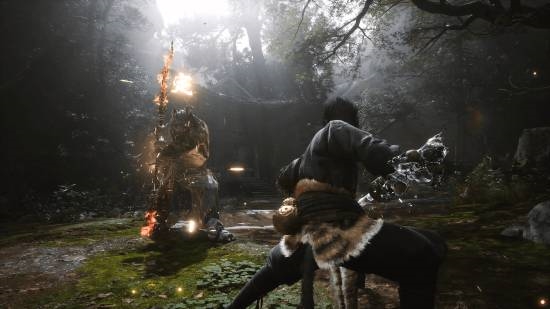

Today, the Steam version of “Black Myth: Wukong” officially received update 1.0.20.22023. The patch size is approximately 5.7GB. Due to platform update mechanisms, players will need to ensure they have sufficient free disk space allocated for temporary file storage during the update process. It’s important to note that this space doesn’t necessarily need to be on the same drive as the game installation. Let’s take a look at the full patch notes.
The complete patch notes are as follows:
Important Notes Before Updating
The update patch is approximately 5.7GB. Due to platform update mechanisms, your computer will require sufficient free disk space (not necessarily on the same drive) for temporary storage of update files.
If you have installed any mods in the game, you may encounter issues such as being unable to launch the game, corrupted save files, or encountering error pop-ups during gameplay after applying the update. This is due to potential MOD version incompatibility. If such issues arise, we recommend uninstalling any installed MODs, verifying the integrity of your game installation files, and then restarting the game.
If you experience abnormal update sizes during the patch installation, or encounter stuttering, crashing, or inability to launch the game after updating, please consult the FAQ section on the official website regarding game installation and patch updates.
This update may require shaders to be recompiled. If you experience crashes during shader compilation, please try restarting the game until compilation is complete, or consider skipping shader compilation. For more details, please refer to the FAQ on game graphical performance.
Experience Optimizations
Monsters
Optimized the combat experience against the “Demon King · Shi Gandang.”
Interactions
When the “Destined One” has not yet obtained the “Traveler’s Map” for a specific region, a prompt will now appear in the Traveler’s Map interface, guiding players to a Land Temple for fast travel (縮地).
Improved the readability of the “completed” markers in the save loading interface.
Performance
Integrated AMD FSR 4 technology. For users with compatible hardware, ensure your drivers are updated and FSR 4 is enabled in the driver settings to utilize this option within the game’s settings.
Optimized the compatibility mode. When compatibility mode is enabled, Ray Tracing, Frame Generation, and certain upscaling features will be temporarily disabled. This aims to help players bypass issues that prevent game entry caused by driver, hardware, or system anomalies.
Adjusted default graphics options for certain graphics cards to better align with the current game version’s graphical modifications.
Significantly improved lighting quality when Global Illumination is set to “Low,” bringing it closer to the visual fidelity of “High” Global Illumination.
Optimized CPU performance and rendering performance across numerous game scenarios.
Reduced memory usage in various game scenarios.
Improved the quality of motion blur to mitigate jagged artifacts on screen during camera movements.
Localization
Added Czech as a new supported language.
Bug Fixes
Monsters
Fixed an issue where “Boss · Xing Hongxian” would become invincible under specific circumstances.
Fixed an issue where the iron ball for “Boss · Xing Hongxian” would not display correctly under certain conditions.
Performance
Fixed an issue where XeSS 2.0 would prevent frame generation from being enabled on some displays.
Fixed potential game crashes upon startup when both DLSS Frame Generation and Ray Tracing were enabled simultaneously.
Fixed multiple rendering errors in NXSR related to ghosting and edge flickering, and improved the overall rendering quality of NXSR.
Localization
Fixed text overlap issues in the Alchemy interface for certain languages.
Fixed errors in English voiceovers and subtitles during some cutscenes.
Fixed issues where certain texts in the settings menu were not localized correctly.
Corrected translation errors, spelling and capitalization mistakes, and inconsistencies in terminology across various languages.

