
In today’s fast-paced world, many young people frequently upgrade their smartphones. The era of brand loyalty, where users stick with one manufacturer for extended periods, seems to be fading, with switching between Android and iPhone being a common occurrence. However, differing functionalities between brands can subtly impact the user experience. This article delves into several convenient features commonly found on Android devices that have been notably absent from iPhones for quite some time.
The Absence of Long Screenshots
Most Android phones today offer a “scrolling screenshot” or “long screenshot” feature. After taking a standard screenshot, users can select the “long screenshot” option, and the system automatically captures sequential parts of the screen, effectively creating a single, extended image. This is particularly useful for capturing entire web pages, lengthy chat conversations, or documents that exceed the screen’s display area. For example, in WeChat, a long conversation can be captured in its entirety with a single tap on Android, a process that is both simple and efficient.
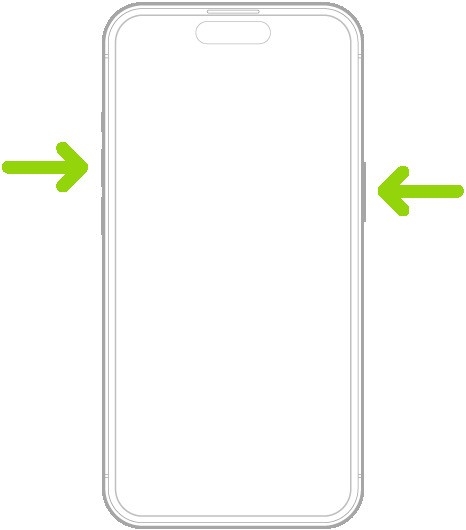

Conversely, iPhone’s screenshot capabilities remain more limited. iOS currently only provides a long screenshot function within the Safari browser and a few select applications. For other apps, users are often forced to manually capture multiple individual screenshots and then painstakingly stitch them together using third-party apps or editing software. Alternatively, paid applications are available to facilitate this process. This manual aggregation is not only cumbersome but also prone to errors and time-consuming.
Missing Side-Swipe Gesture for Back Navigation
A prevalent design across mainstream Android systems is the “side-swipe back” gesture. By sliding a finger inward from the edge of the screen, users can navigate back to the previous interface. This operation is highly intuitive and aligns naturally with common user interactions. This gesture has become a fundamental part of the Android user experience, significantly speeding up navigation, especially within multi-layered menus and applications.

iPhones, however, continue to rely on a bottom-based gesture for navigation. Users must swipe up from the bottom of the screen and pause, a motion that can feel less fluid for those accustomed to Android. For users transitioning from Android, this can lead to frustration due to accidental triggers or a slight delay in response. For instance, after opening an app, a user needs to perform the “swipe up and hold” action to return, whereas an Android user can achieve the same with a swift edge swipe.
Limited NFC Functionality
The practical applications of NFC (Near Field Communication) on Android devices are deeply integrated into daily life. Users can simply tap their phones near access card readers, campus card terminals, or public transport validators for instant functionality. For example, students can use their Android phones to access dormitory buildings or enter campus facilities. Likewise, employees can use their phones to open office building access gates, all without the need for extra setup or carrying physical cards.
In contrast, iPhone’s NFC capabilities are considerably restricted. Apple primarily restricts NFC to Apple Pay for contactless payments, and the functionality for public transport cards and limited access control systems. However, it does not support the emulation of other types of cards. This means that many university dormitory card readers, subway gates, or smart door locks are incompatible with iPhones, forcing users to continue carrying physical cards for access.
Lack of True Split-Screen Multitasking
Android phones offer a robust “split-screen” function, allowing users to run two applications simultaneously. For instance, one could watch a video in one window while engaging in a chat in another, with the ability to adjust the size of each window by dragging the dividing line. This significantly enhances efficiency when managing multiple tasks, making it particularly beneficial for productivity and learning scenarios.

iPhone’s support for split-screen functionality remains less comprehensive. The need to frequently switch between multiple applications creates a disjointed user experience. While picture-in-picture modes exist, they are not as robust or universally implemented. Although iPadOS offers a more developed split-screen experience, the absence of this foundational feature on the iPhone, arguably the primary device for many users, renders multitasking less efficient.
Concluding Thoughts
Judging by these functionalities, it’s evident that these features have been mature and well-implemented on Android for years. It’s unlikely that Apple’s reluctance to adopt them is due to technical limitations. For example, Apple has reportedly tested side-swipe gestures in the past but reverted to the bottom-based navigation. Similarly, the split-screen feature is effectively utilized on iPads, yet its integration on iPhones has been significantly delayed.
At its core, Apple seems to prioritize maintaining a perceived ecosystem “simplicity” and is concerned about disrupting established user habits. However, the reality is that users value practicality and ease of use over artificial simplicity. When users accustomed to these convenient features transition to iPhones, they often find themselves performing extra steps for basic operations, which, over time, can become a source of frustration.
The features discussed have been popular and widely adopted in the Android market for many years. Their continued omission from iPhones is one of the reasons why some Android users hesitate to switch. Ultimately, users desire tangible convenience rather than promised, yet unrealized, advancements. Will you be considering the latest iPhone 17 series? Share your thoughts in the comments below.

